Top AI Video Generation Tools 2026, Tested in Real Production
.avif)
table of content
TL;DR
There is no single best AI video tool for every project. The right choice depends on what you are creating, how much control you need, and where the extra quality is worth paying for. We tested these tools across internal work and client projects, mainly for product videos and explainer videos.
- Kling AI is our everyday workhorse for affordable, reliable generation.
- Seedance 2.0 is better saved for premium hero shots where quality matters most.
- Runway is most useful as a wider production toolkit, not just a video generator.
- HeyGen works well for avatar videos, while Gemini Omni Flash is useful for UI, text, and product-led content.
- AI still needs human direction. The tools can speed things up, but storytelling, consistency, accuracy, and creative judgment still come from the people using them.
What AI can and cannot do in motion design
There are a lot of AI video tools out there now, and nearly every one claims to be the best. The tricky part is that the polished demos you see online do not always match what happens when you actually try to use the tool in production.
So, if you have read this article before and thought, “Hang on, this looks different,” you are right. We update this guide to the top AI video generation tools 2026 every few months because the tools, features, and results change so quickly. That means retesting platforms, revisiting our recommendations, and removing anything that is no longer worth your time.
Our view on AI has stayed pretty consistent throughout. These tools do not replace creativity, but they can make parts of the process faster, help us test ideas, and give us more options during production. Some are great for everyday work, while others are better saved for the hero shots where quality matters most.
The video below shows real examples from the tools covered here, so you can see what they are actually capable of rather than relying on the marketing reels alone.
We have tested these tools across internal projects and client work, including projects for HackerRank, Apollo.io, and Hyperexponential. So this list may look a little different from other roundups, but it reflects the tools that have genuinely been useful in our workflow.
How to read this list: the cost-vs-quality spectrum
Before we get into the tools, it is worth explaining how we are comparing them. This is not simply a list of the most impressive platforms. We are looking at which tools give you the most value at their price point, what type of work they are best suited for, and where they fit into a real production workflow.
Most of the tools fall into two broad categories:
- Cheap daily workhorse: A reliable, lower-cost tool for testing ideas, generating B-roll, creating social content, or producing shots where speed and volume matter most.
- Premium hero-shot tool: A more expensive option used for the moments where quality matters most, such as a cinematic opening, a key product shot, or a scene that needs stronger detail and consistency.
For each tool, we will also point out:
- What type of project it works best for
- Where it sits on the cost-versus-quality spectrum
- What we liked and where it struggled
- Whether we tested it ourselves or based the section on published reviews
- Which tools have become a regular part of our own workflow
That last point matters because some platforms might look impressive on paper but are difficult to use consistently in production. Others may not be the flashiest option, but they are dependable enough that we keep coming back to them.
The tools
A quick disclaimer before we get into the list: these tools are not ranked in any particular order, and what works well for us may not be the best fit for your team or workflow. Some are better for fast, everyday production, while others make more sense when you need one high-quality shot to carry the whole video.
We mainly use these tools for product demos, product videos and explainer videos, so our needs may be different from agencies with another focus.
Every tool included here is either something we have tested recently or a platform we already use in production. For each one, we’ll look at what it does, the type of project it suits, where it sits on the cost-versus-quality spectrum, and whether our view comes from first-hand use or published reviews. We’ll also be honest about where each tool works well, where it struggles, and who we think it is best suited for.
Honorable mention: Magnific | AI creative ecosystem
AI video tools and premium stock, all in one place
It’s difficult to describe Magnific as just another generative AI tool, that is why we are putting it here. The way we see it, it’s closer to an AI creative ecosystem, bringing image and video generation, upscaling, enhancement, and other creative AI workflows together in one platform.
Magnific originally built its reputation around AI upscaling, but it has since grown well beyond that. Instead of specializing in a single model or type of generation, the platform now brings together different AI models and creative workflows, so you can generate something, enhance it, upscale it, or continue working with it without constantly moving between separate tools.
It also goes a step further with features like Spaces, which introduces a node-based workflow for connecting different stages of the process. Rather than treating generation, enhancement, and upscaling as completely separate tasks, you can start building them into a more connected workflow.
We’re actually using Magnific on one of our current projects, and so far it's fit pretty seamlessly into the way we already work. That’s probably where we see its biggest value: not as another AI tool you have to build your workflow around, but as something that can slot into an existing creative process and support different parts of production as you need it.
1. Syren by Synthesia

Syren by Synthesia is an AI video generator built for business. Unlike tools that generate individual shots, Syren creates complete videos from a prompt, document, images, or PowerPoint, including the script, avatar, voiceover, motion graphics, B-roll, and music.
Videos can run up to an hour long, and you can refine them through chat, changing individual elements without affecting the rest.
- Best for: Training, onboarding, internal communication, explainers, and multilingual content
- Cost-versus-quality: Practical specialist tool for producing business videos at scale
- Our take: Strong for explaining information, but less suited to videos that need to persuade or create an emotional connection
- Rough price: Credit-based, with free credits available to try the tool. Features and limits depend on the plan
Synthesia solves a practical problem, especially for businesses producing large volumes of training or educational content.
But we'd make one distinction.
Explaining something clearly and making someone care about it are two different jobs.
For brand films, campaigns, or product launches that need to create excitement, custom animation and stronger creative direction may be a better fit.
2. Kling AI
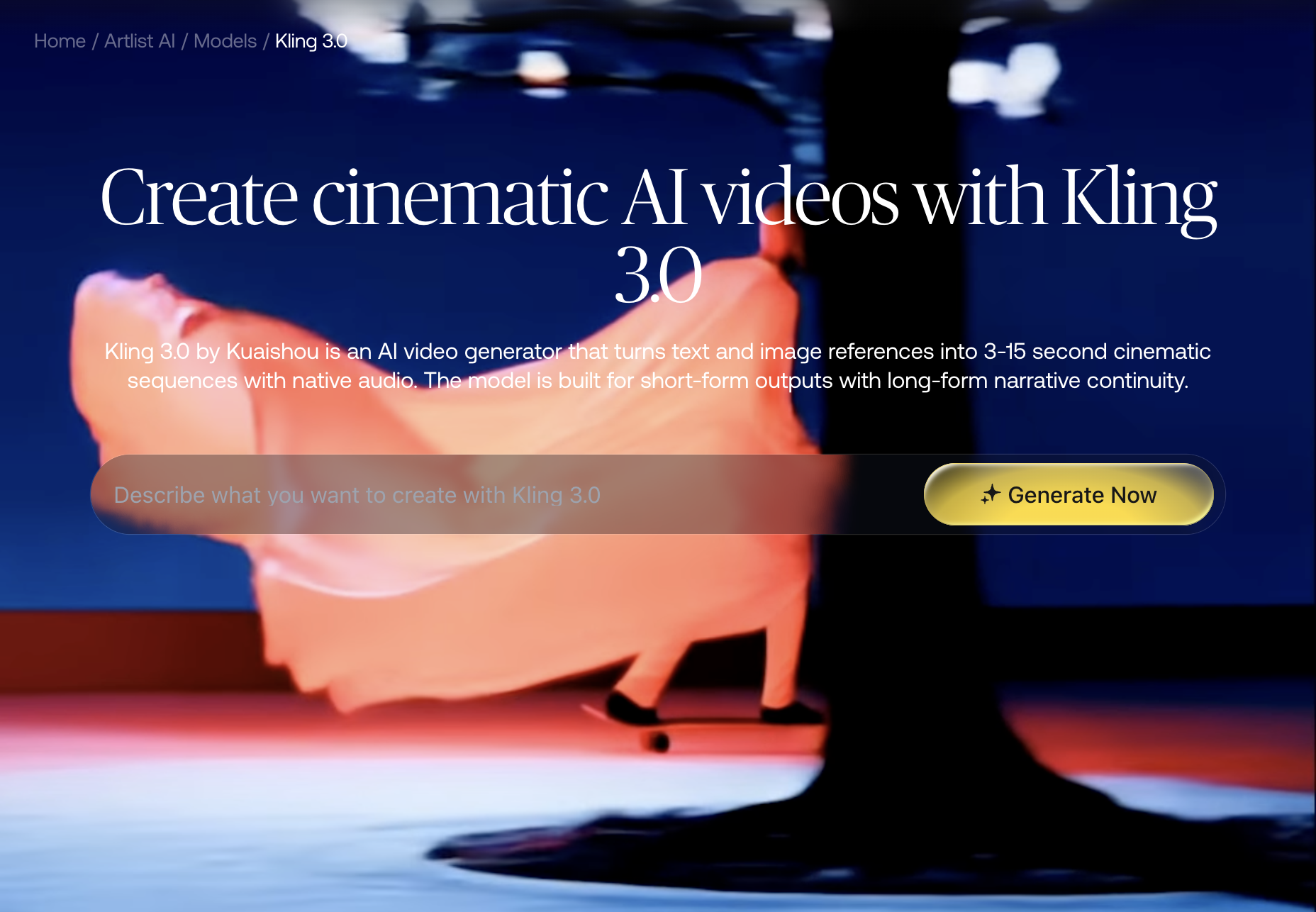
Kling is the tool we reach for most often in our day-to-day work. It is a general-purpose AI video generator with particularly strong image-to-video capabilities, along with Start–End frame control that gives you more direction over where a shot begins and finishes.
It does not always produce the most polished result on the first attempt, but it gives us a strong balance between quality, control, and cost. That makes it easier to generate several options without using a large part of the production budget on one shot.
- Best for: B-roll, social content, product shots, transitions, visual testing, and everyday production
- Cost-versus-quality: Cheap daily workhorse
- Our take: Reliable, flexible, and currently one of the most useful tools in our workflow
- Rough price: Add current plan and credit pricing after verification
Kling is usually where we start when we need to test an idea or create several shots quickly. We may move to a more expensive model when a scene needs extra detail, but for most production work, Kling gives us enough quality without making every generation feel expensive.
3. Seedance 2.0
.png)
Seedance 2.0 sits at the other end of the spectrum. It is a premium model that produces some of the strongest visual fidelity and character consistency we have seen, which makes it particularly useful for the shots that need to feel more polished.
The downside is the cost. Based on our experience, Seedance can cost around four times as much as Kling, so it is not something we use for every scene. Instead, we tend to save it for the moments where the extra quality will make the biggest difference.
- Best for: Cinematic scenes, detailed character shots, campaign openings, and high-impact hero shots
- Cost-versus-quality: Premium hero-shot tool
- Our take: One of the strongest tools for quality, but best used selectively
- Rough price: Around four times Kling’s generation cost, with the current figure to be confirmed
Seedance is a good example of why the most expensive tool does not need to handle the entire project. A video might use Kling for most of its supporting shots, then switch to Seedance for the one or two moments that really need to land.
4. Runway
Runway is more than an AI video generator. It is a wider production platform that brings generation, image-to-video, editing, Aleph, and other tools into one place.
That is important because its biggest strength is not necessarily the raw generation model on its own. Gen-4 scored fairly low in one external comparison, but the platform becomes more useful when you look at everything around it.
- Best for: Teams that want a broader AI production suite rather than one standalone generator
- Cost-versus-quality: Mid-to-premium production platform
- Our take: More useful as a full toolkit than as the strongest raw video model
- Rough price: Add current subscription tiers and credit limits after verification
Features such as Aleph, the editing tools, and Gen-4.5 image-to-video are where Runway starts to earn its place. It may not always be our first choice for generating one specific shot, but it can be useful when the project needs more than generation alone.
5. Veo 3 and 3.1
Veo is Google’s high-end AI video model, and it is capable of producing some very detailed, polished results. It is better suited to shots where visual quality matters more than generating lots of cheaper variations.
The output can be impressive, but our team found Google Flow clunky to use. The model itself may be strong, but the platform you access it through can make a big difference to the overall experience.
- Best for: Detailed scenes, realistic footage, cinematic moments, and premium shots
- Cost-versus-quality: Premium end of the spectrum
- Our take: Strong output, but the workflow depends heavily on where you access it
- Rough price: Confirm direct and third-party access costs before publishing
For some teams, it may be easier to use Veo through an aggregator or another platform with a smoother interface. We also created a full blog comparing Google Veo 3 and Veo 3.1, where we tested both versions and looked at the differences in output quality, workflow, and overall performance.
6. HeyGen
HeyGen is a specialist AI avatar platform built for presenter-led and talking-head videos. Instead of generating full cinematic scenes, it creates videos where a digital presenter delivers your script directly to camera.
That is quite a specific use case, but HeyGen does it very well. The movement feels natural, the delivery is convincing, and it can save you from organizing a new shoot every time you need another version.
- Best for: Short-form avatar videos, personalized content, localization, and talking-head communication
- Cost-versus-quality: Mid-to-premium specialist tool
- Our take: One of the strongest avatar tools, but not a general-purpose video generator
- Rough price: Confirm current plans, avatar minutes, and generation limits
HeyGen works best when the presenter is the main focus. It is much less useful when you need cinematic storytelling, product animation, or a more visually complex sequence.
We cover that in more detail in our separate AI avatar comparison.
7. Higgsfield AI
Higgsfield is an aggregator that gives you access to several AI video models through one platform. That includes models such as Kling, Veo, and Seedance, so you can test different options without juggling a separate subscription for every tool.
This is also one of the platforms we actually use. Its main advantage is not that Higgsfield has one model that beats everything else. It is that it gives us an easier way to choose the right model for each shot.
- Best for: Teams that want access to several models in one place
- Cost-versus-quality: Flexible middle ground
- Our take: One of the most practical aggregators in our current workflow
- Rough price: Confirm current plans, included credits, and model access
Its Shots feature is another useful addition. It is designed to help keep characters and visual details more consistent across different cuts, which is still one of the trickier parts of creating longer AI-generated sequences.
8. Gemini Omni Flash
Gemini Omni Flash is more of a specialist tool than an all-purpose cinematic generator. Where it gets interesting is with motion graphics, embedded text, UI elements, and product interfaces.
That makes it particularly useful for SaaS product demos and other videos where the interface needs to stay readable. A lot of AI models still struggle with text and coherent UI, so having a tool that handles those elements more reliably can be genuinely useful.
- Best for: Product demos, motion graphics, UI animation, and embedded typography
- Cost-versus-quality: Specialist tool with variable costs
- Our take: Strong for UI and text, but less dependable with busy backgrounds
- Rough price: Token-based pricing, with current rates to be confirmed
There are a few limitations to keep in mind. Generations are capped at around 10 seconds, token pricing can be difficult to predict, and the results tend to become less reliable when there is too much happening in the background.
9. Adobe Firefly
Adobe Firefly makes more sense as one part of a wider production pipeline than as the tool generating your finished video.
Its biggest strength is commercially safer asset creation. Adobe trains its models using licensed and permitted content, which makes Firefly useful when you need source images, textures, or visual elements that will later be animated and refined.
- Best for: Commercially safer source assets, image generation, and Creative Cloud workflows
- Cost-versus-quality: Pipeline support tool
- Our take: More useful before animation than as the main video generator
- Rough price: Confirm current Creative Cloud and generative-credit pricing
For a motion design team, that can still be valuable. You can create the starting assets in Firefly, then move them into After Effects or another Adobe tool to finish the work properly.
The Creative Cloud integration is the main reason to consider it. That said, Adobe’s naming across its AI products can be confusing, and some of the newer beta features have felt a little underwhelming compared with more specialized tools.
10. Hailuo
.png)
Hailuo is a fast AI video generator that has received attention for how well it handles movement and physics. In published benchmarks, it has performed particularly well in scenes where objects and characters need to move in a more believable way.
We have not tested Hailuo deeply enough in client production to give it the same kind of first-hand verdict as Kling or Seedance, so this section is based on published reviews.
- Best for: Fast experimentation and movement-heavy scenes
- Cost-versus-quality: Potentially strong value, based on external testing
- Based on published reviews: Strong physics and fast generation, but with a few concerns
- Rough price: Confirm current plans and billing terms before publication
It is also worth mentioning the reported billing complaints and the data-privacy considerations that may come with using a China-based platform. Those points may not automatically rule it out, but they are worth understanding before making it a regular part of your workflow.
11. Magic Hour
.png)
Magic Hour is an all-in-one AI content platform that brings several generation and editing features into one interface.
It is aimed at creators who want to experiment with different formats without building a complicated stack of separate tools. Based on published reviews, it looks like a convenient mid-tier option rather than the strongest platform in one specific area.
- Best for: General experimentation and creators who want several AI features in one place
- Cost-versus-quality: Mid-tier aggregator
- Based on published reviews: Convenient and varied, but less specialized than the strongest tools here
- Rough price: Confirm current plans and generation limits
Magic Hour could make sense if simplicity matters more to you than having the absolute best model for each task. For a production team chasing the strongest image-to-video, avatar, or hero-shot results, a more specialized platform will probably make more sense.
12. LTX Studio
.png)
LTX Studio takes a broader approach to AI filmmaking. It combines story development, shot planning, generation, and other production tools in a more structured environment.
On paper, it looks promising. The research referenced in the brief gave LTX 2 a score of 6.18 out of 10. But we could not test it ourselves because it is currently geo-blocked in Indonesia.
- Best for: Filmmakers and teams looking for a more structured, end-to-end AI production environment
- Cost-versus-quality: Promising on paper, but not tested by our team
- Based on published reviews: Competitive specifications, with a major regional-access limitation
- Rough price: Confirm current pricing and availability before publication
We think that is worth saying clearly. We would rather tell you that we could not test a tool than pretend to have a first-hand opinion based only on its website and marketing.
Tools to keep an eye on
There are a few other tools worth watching, but they do not need full sections just yet.
- Seedance 2.5 is currently in beta
- Luma continues to develop its video models
- Pika remains useful for quick creative experiments
- Wan is an open-source option worth keeping an eye on
This space changes quickly, which is exactly why we come back to this article every few months and update it based on what we can genuinely use in production.
When a tool isn’t enough: working with a studio
So, now that we have talked through the tools we test and use in our day-to-day workflow, it is probably worth saying this clearly: we see AI as a powerful assistant, not the one calling the shots.
These tools can help us move faster, test ideas, and create footage we might not have been able to make as quickly before. That is especially useful for a lot of our SaaS clients, where some of the most important parts of the product happen behind the screen and need to be visualized in a clear way.
But the tools can still be unpredictable. One shot might work straight away, while another takes several regenerations. You can get strange artifacts, inconsistent characters, or scenes that look good on their own but do not properly represent the product.
And that is where the human side still matters. AI can help generate the visuals, but it still takes a lot of fine-tuning to make sure the result is accurate, makes sense, feels consistent, and looks professional.
We use AI alongside strategy, storytelling, creative direction, and production craft. The tools help us get to the result faster, but the thinking, judgment, and consistency still come from the team behind them.
Conclusion
So, what is the best AI video tool? The honest answer is that there probably is not one. Kling might make the most sense for everyday production, Seedance can be worth the extra cost for a hero shot, and tools like HeyGen, Higgsfield, or Gemini Omni Flash all become useful for very different reasons. It really comes down to what you are making, how much control you need, and where the extra quality will actually matter.
The tool is only one part of the job, though. AI can help you move faster, test more ideas, and create shots that would have taken much longer before. But it can still take a lot of trial and error to get something usable, and a good-looking generation does not automatically give you a clear story, a consistent visual direction, or a video that actually feels like your brand.
And once you've created the video, there's still the question of how you present and share it. For example, a presentation maker such as Flipsnack can help turn static pitch decks and video previews into interactive presentations with embedded media, easy sharing, and performance analytics.
That's why we use AI as part of the production process, not as a replacement for it. The tools help us get to the result faster, but the strategy, storytelling, creative direction, and judgment still come from the people behind the work.
You’ve got the tools. If you need the thinking and craft around them, let’s make something together. We’ll turn your idea into a free custom sample, so you can see how it could work before committing.
FAQ

Syarafina Kuswahyuni
Syarafina Kuswahyuni is a content marketer at Motion The Agency, where she covers explainer video production, motion design trends, and video marketing strategy for SaaS brands. She has worked alongside Motion's animation team on projects for clients including ClickUp, Apollo.io, and HackerRank


Bramuda
Bramuda is a creative strategist at Motion The Agency, where he writes compelling blog posts that support and expand upon the agency's video projects for SaaS brands. He works alongside animation team to create cohesive content campaigns for clients including Kuberno, Primer, and Dext.
In just a few questions, get a tailored estimate for your next video project.





Contact Us
Ready to elevate your brand? Contact us for your
Free Custom Video Sample